

Promote & market your online articles using paper.li curation service.
 There are many excellent curation services that you can use to promote your online writing, your blog or your website.
One of my favorites is paper.li and it’s so easy to use.
You are familiar with curating and sharing what you love on sites such as Pinterest and paper.li takes this one step further. It automatically generates a daily (or weekly) online newspaper on the subject of your choice. This is a perfect tool to promote your niches via conventional social media.
Although your daily or weekly edition is created automatically, you also have the opportunity to edit the paper, and add whatever you wish to it from anywhere on the web. If it sounds costly, complicated and time-consuming, please be assured that it isn’t.
This service is free, it takes only a few seconds to set up and just a couple of minutes per issue to edit and fine tune. Here are step-by-step instructions.
It’s very simple and I hope that I explain it adequately. If you have any questions, please ask in the comments section below – I’ll be happy to help.
Setup
 The image on the right shows a portion of the JAQUO paper. This information is drawn from all over the web from the sources I have selected.
All you need to do is visit the site, sign in and name your paper. The choice is yours. Once you are setting your service up, you can – optionally – change the fonts and colors, add a background and set up your sources.
Before we go through those simple stages, I want to show you how easy it is to add your article to your current edition. It takes about thirty seconds using the browser button and as you’ll see, you can add the article, plus seven images, to the current paper.
All videos will open in a new window or tab. Simply close them to return to this article.
See the top right of the screen. I use a browser button (which installs in two seconds by dragging and dropping) and the article is automatically picked up. I then select the images I want (if any) to go into the photograph section of the paper.
Setting up for the first time
It only takes about ten minutes to do so and you can adjust everything later if you wish.
- Go to the first settings option. Drag the button from the page onto your browser toolbar. You are now set up to enter content from any web page. You also have options regarding the content you want. Simply check the boxes and save your preferences. These can be changed at any time.
- Set your content sources. Search for blogs, websites, RSS feeds and Twitter accounts that suit your niche. There are thousands of sources … from antiques to zoology. Again, you’ll be able to add to these, or delete some, later.
- Important – turn notifications OFF. Your paper is part of your internet reputation so you want to manually edit every issue before it goes out. Sometimes unsuitable articles CAN show up.
- Adjust your color scheme if you wish, and the fonts used.
- If you wish, you can also add a custom background. You can do this later if you prefer.
- On this screen, you can select the box if you’d like your Twitter feed to show. If you want readers to be able to email you, you can select that option. If you’d like readers to comment, there’s an option for that too.
Editing your paper
Editing will probably take you under a minute a day. Your paper has several pages including ‘list view’ where all articles are shown in one list. I find it easier to edit from there. Click the button at the top right of the screen to enter edit more. You can simply set articles to become featured (i.e. shown at the top pf the home page or, if there is an unsuitable article you can delete it by clicking the ‘x’. When you’ve finished editing simply leave editing mode by clicking the edit button again.
All videos will open in a new window or tab. Simply close them to return to this article.
Sending it out to your network
Normally, I send my daily issue to Twitter only because I have a good number of followers who are interested in the subject. However, the system also allows you to very quickly and easily add it to LinkedIn, Google + or to email it or Facebook like it. Choose whichever is best for you or, if you prefer, all. Sometimes I will do a special edition for specific social media. It takes under a minute to send it out. Note that on the left hand side of this video is my Tweetdeck – watch for the message to appear – it’s fast!
All videos will open in a new window or tab. Simply close them to return to this article.
It’s as simple as this
- Shorten the URL and copy it. See a further explanation below.
- Click the share button. Choose the media (Twitter in this case.)
- Type in your own words replacing the default. See why below. Paste in the shortened URL.
- Press the tweet button.
Why shorten the URL? – And why change the default text?
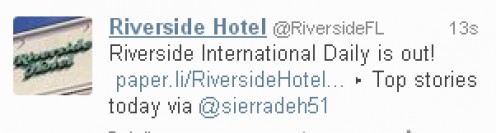
Example: Unshortened URL.
Many. many people use this service. They invariably set it to automatically go to Twitter – after all, this is the easy way. There are several problems with that, one being that if they haven’t hand-edited, they may find that they are promoting their competition. (I have seen SO many times!)
Over time, people have learned that many of these papers contain automatically created nonsense and aren’t curated at all; people are just relying on an automatic system – which is never perfect. Many people simply won’t click on a link if they see ‘paper.li’ as part of the URL, assuming that it’s just another auto-content item.
The default text also gives the game away if your edition is automatically sent. This is why I vary it and always put the day of the week. This way, people know that I’m posting a fresh link. If it’s a special day, I might put that ‘Valentine’s Day issue’ for example.
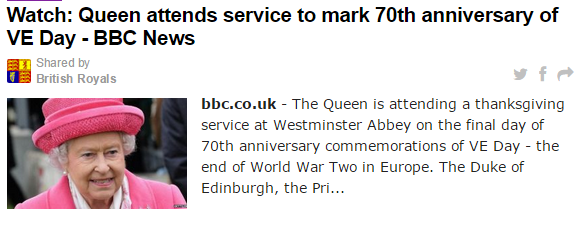
Example
Additional tips
- Because I use Twitter, it is my hope that other users will retweet and pass my message on. Therefore I keep my message as short as possible, for instance, using the ampersand instead of writing ‘and’.
- Although you want to keep your message short, you can add the user name of people who have contributed to your latest addition in the hopes that they will notice, read and retweet. Keep your message short by adding for example ‘stories by @britflorida @iamlasolas’
- Encourage others to contribute. This gives people a sense of ‘ownership in your service. This is simple using a hashtag. For example if you want to be included in the vegetarian paper simply tweet your message and include the hashtag #vrfs (bearing in mind that I DO hand-edit!)
- Use photographs to make your edition as attractive as possible.
- The system allows you to add an editor’s note which I recommend because it gives you a personal connection with your audience. With my vegetarian paper I don’t yet vary this on a daily basis but I have done when running the service for clients. You can mention today’s important news or add a link to your site / articles for instance.
- You can easily rearrange your content sources. The system will always feature the sources at the top of your list at the top of your edition so if you’re using your own RSS feed make sure it’s first on the list,
- Be sure to have a good mix of your own articles and outside articles in your paper. I like to have about half a dozen of mine and generally set one of them to be the lead story. I use the ‘featured lenses’ module to move from one article to the next I want to add.
- Your paper can be easily embedded on your website or blog giving your viewers fresh daily content.
- If you know that you won’t be able to edit your paper for a few days – or at any time – set it to auto just for that period of time to be sure that it’s still sent out IF you are confident about your content sources. Be sure to switch it back and resume hand editing as soon as you can.
- There is an inexpensive pro version available. I use this for clients because the ads shown on the daily could conflict with their businesses. There are other advantages too. However for my personal papers I find that the free version is perfect.
- Older editions are archived. This is one of the reasons why I don’t make a new paper public until it’s about a week old. This also gives you the chance to fine-tune your content sources to make your daily editing quicker and easier.
- A little off topic but it’s also a good idea to have a private paper that is for your own research and reading only. As a content writer, you will get some excellent ideas and you’ll be able to monitor what others are saying about the subjects of your choice.
Is it worth it?
Just in case you asked that 🙂 I timed myself this morning. It took me just under four minutes to add six articles to my daily paper, edit it and send it to Twitter. That’s about 27 minutes a week. And yes, I often see that I get hits to my sites and articles from the paper. What’s more, I know that the people who are clicking through are genuinely interested in the subject matter.
What it will also do for you is enhance your internet reputation. You will be seen as a content curator for those who are interested in your niche.
RECOMMENDED:


Social media and curation services are the ultimate form of permission marketing. Your viewers ‘sign up’ to receive your messages and hear from you.
The internet changes every single day but the fundamentals of permission marketing remain the same. This is available as a regular book or for your Kindle.
ABOUT THE AUTHOR

